
DesignOps & Leadership
GS1 Canada’s first UX Practice Lead role building DesignOps through Design System, UX Framework and a UX Community of Practice from 0 to 1
Building a Centralized UX Discipline Within a Product-Led Organization
Between 2018–2019, as GS1 Canada transitioned to product squads, UX was formally recognized as an integrated discipline. Prior to this, UX decisions were owned by non-UX roles and executed by external vendors. I joined in 2020 as one of the first three internal UX hires, embedded within a self-managed product squad.
By leading through practice, applying disciplined UX processes and evidence-based design. I demonstrated how expert UX execution directly drives customer value, CX outcomes, and measurable business impact. This work led to my promotion as UX Practice Lead, where I scaled UX beyond individual squads into a centralized, strategic discipline. I focused on three areas: defining and assessing a fit-for-context UX framework, building a UX Community of Practice with designers and product managers, and establishing a Design System in partnership with engineering to streamline design-to-development across the organization.
UX Playbook
A strategic deck that communicated why UX exist in the org. and how the team actually designs, decides, and delivers value. Show UX maturity and roadmap.
Design Sprints
Established UX engagement, intake and design lifecycle to go with nature of project and enabling the UX roles, individuals and their collaborators.
Design System
Drafted the first Design System shared components across products. Established the operating model and bring strategic alignment through working committee with engineering team
Platform Design Vision
As Principal Designer, I partnered with the Platform Product Manager to define the first Single Platform vision, aligning teams around a unified product experience.
UX CoP
Established and facilitated a UX Community of Practice, bringing together designers, product managers, and leadership (seasonal guests) to build UX mindset, strengthen skills, and foster a design-centric culture.
Team Maturity
Defined a UX framework spanning design processes, portfolio ownership, and research, aligning skills and roles to collective outcomes and enabling team maturity and scale.
UX Playbook
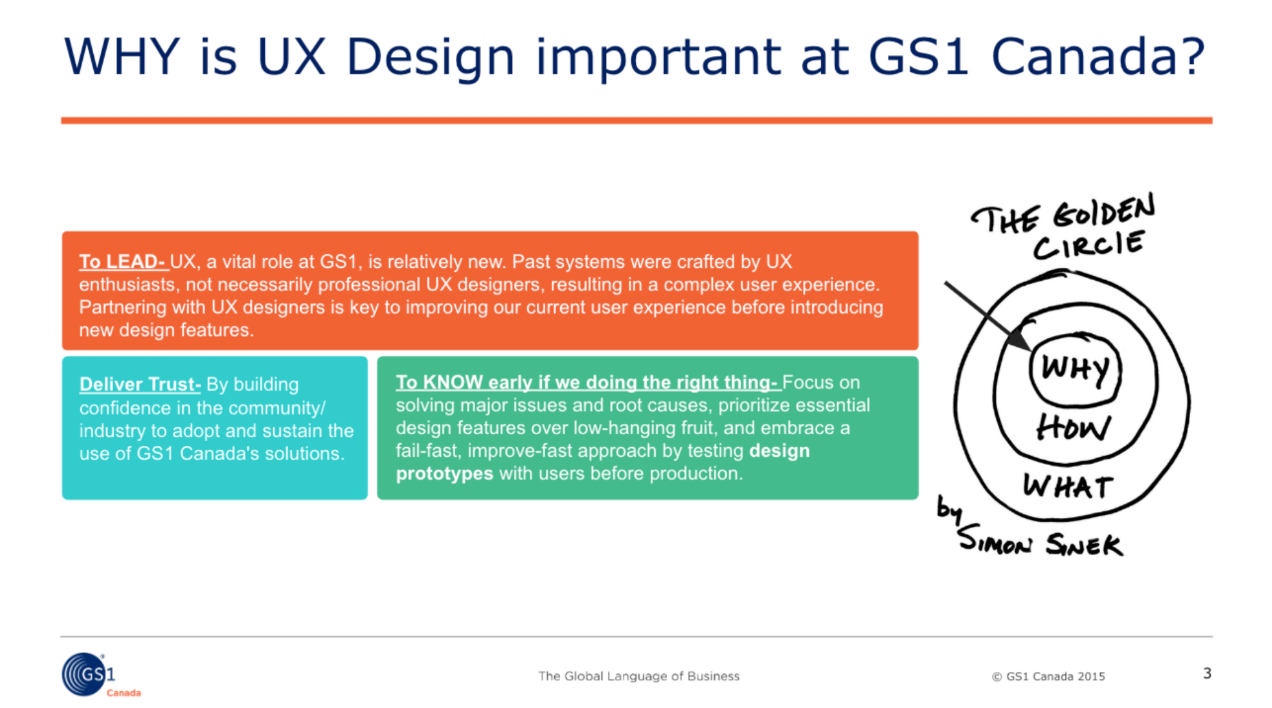
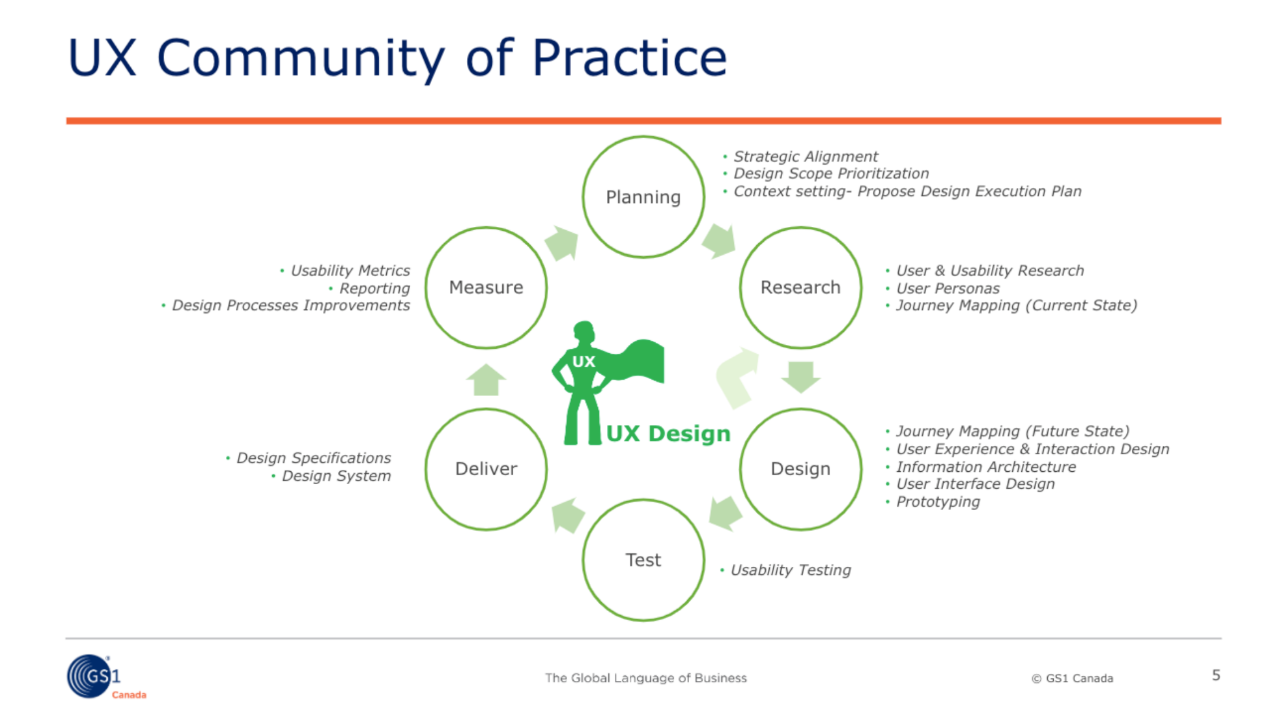
The UX Playbook is our brand manual that defines who we are, what we do, and where we’re headed. It drives team growth, business alignment, and engagement with UX. This deck includes key slides from the playbook I built with the UX team at GS1 Canada. It showcases our role, success metrics, and strategy. I use it to engage teams, executives, and vendors, whether to demonstrate value, educate, secure sponsorship, or guide collaboration. By making our impact clear it builds trust, drives investment, and strengthens strategic partnerships.
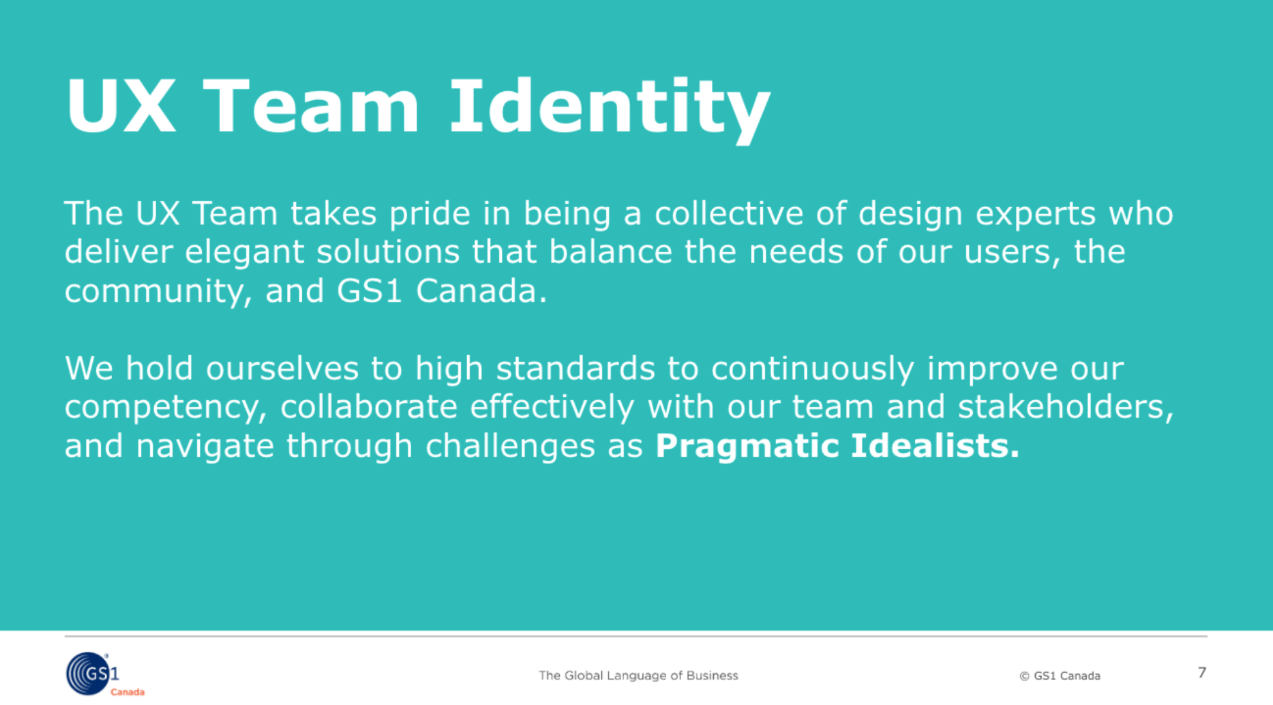
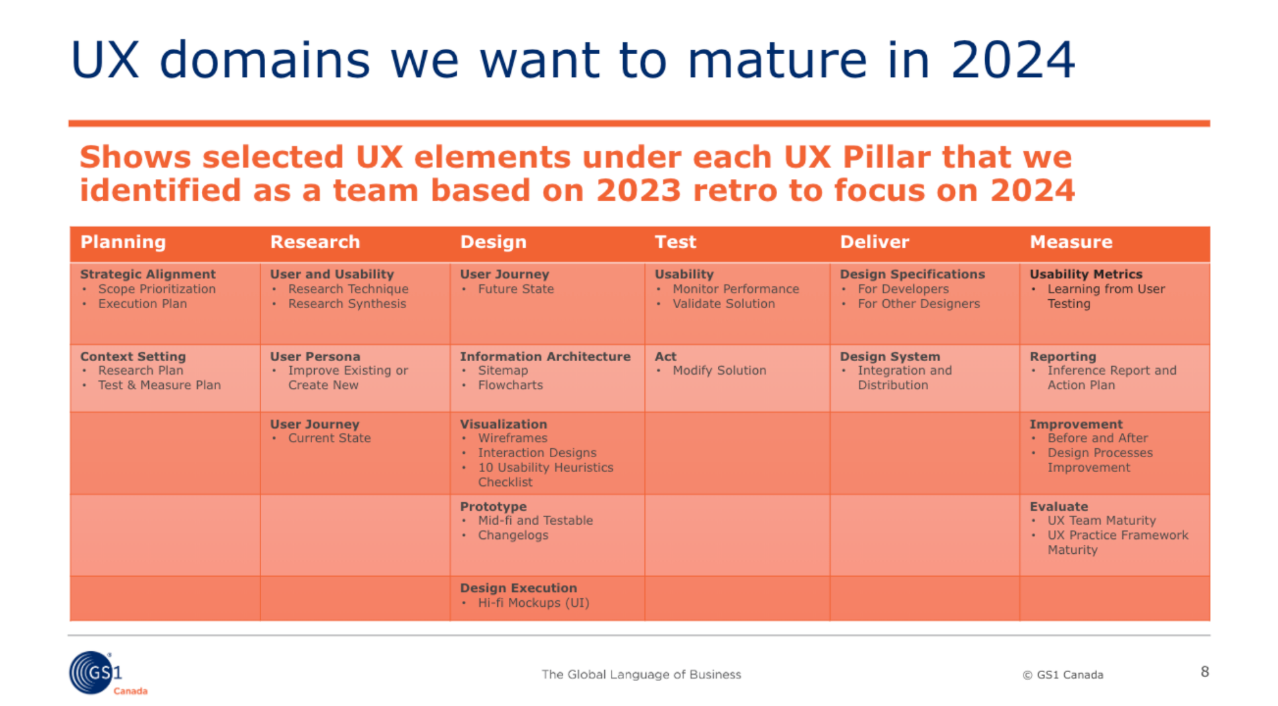
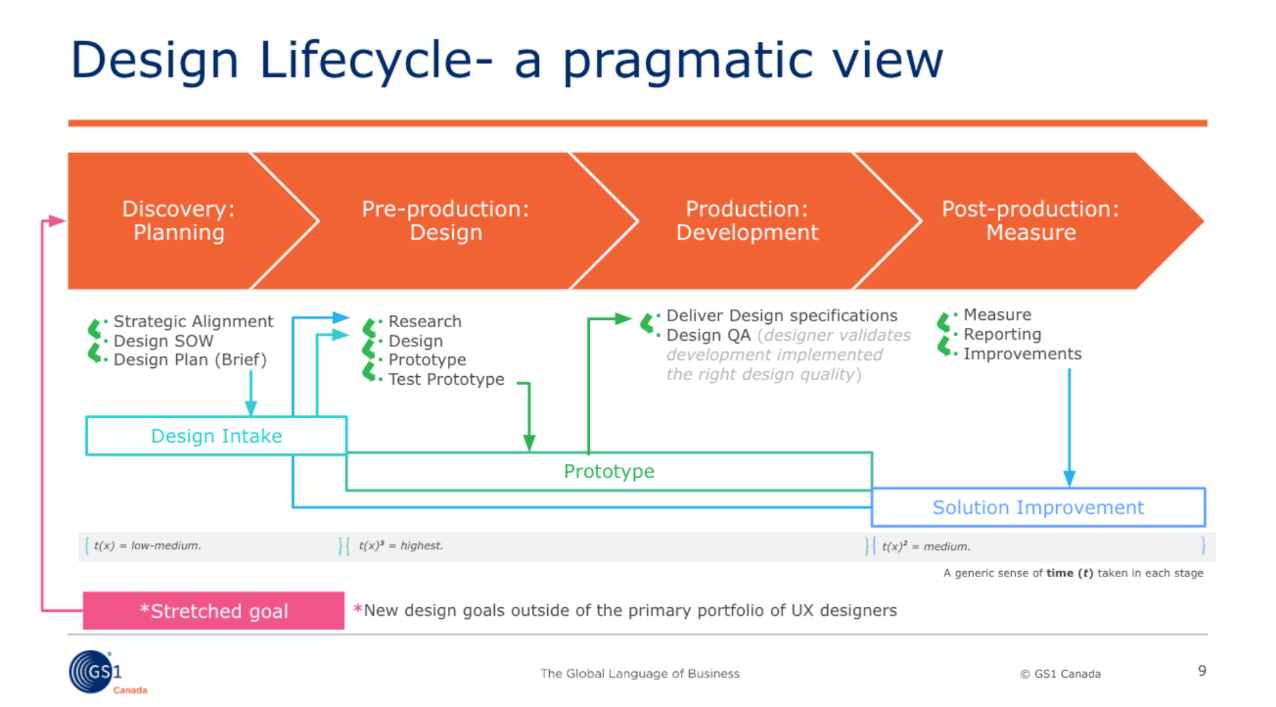
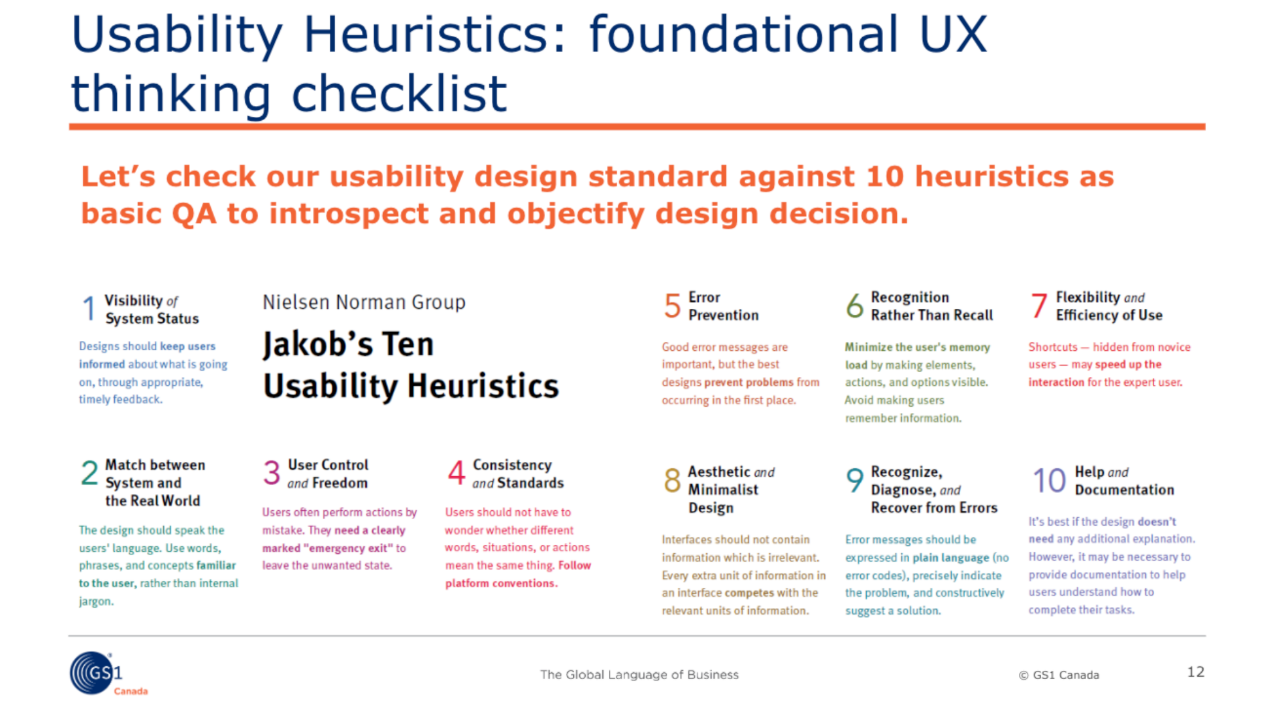
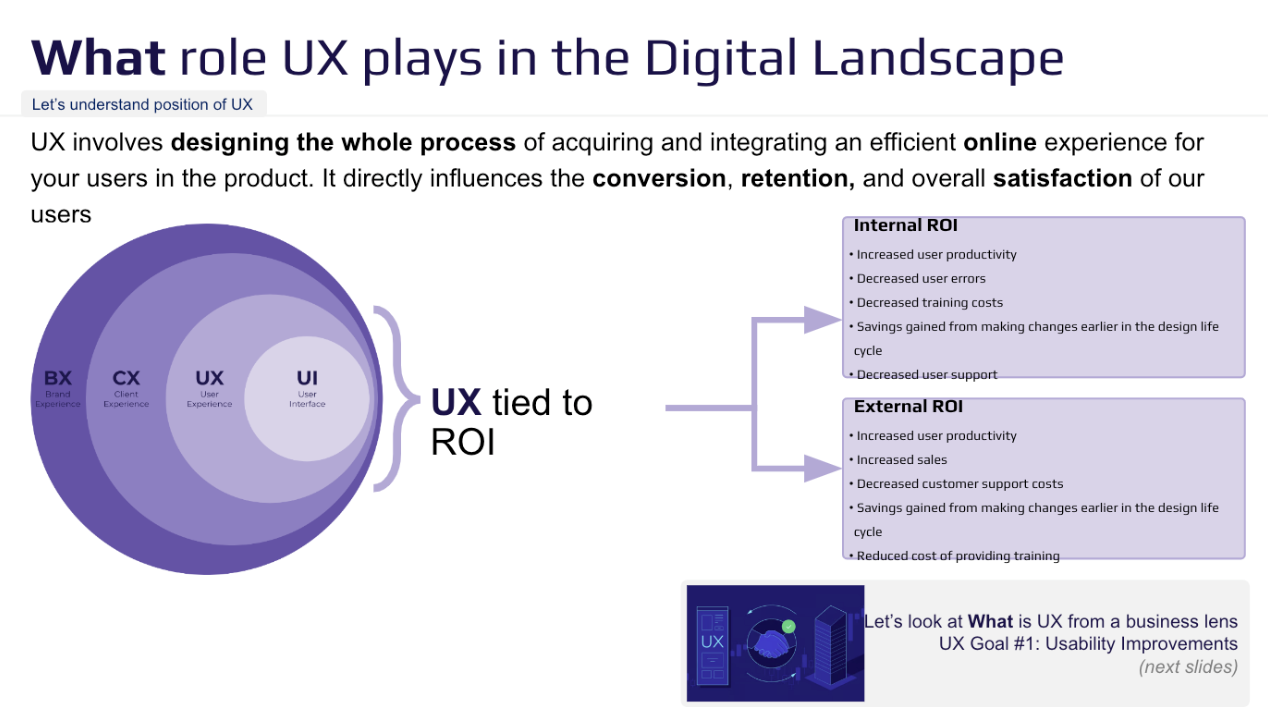
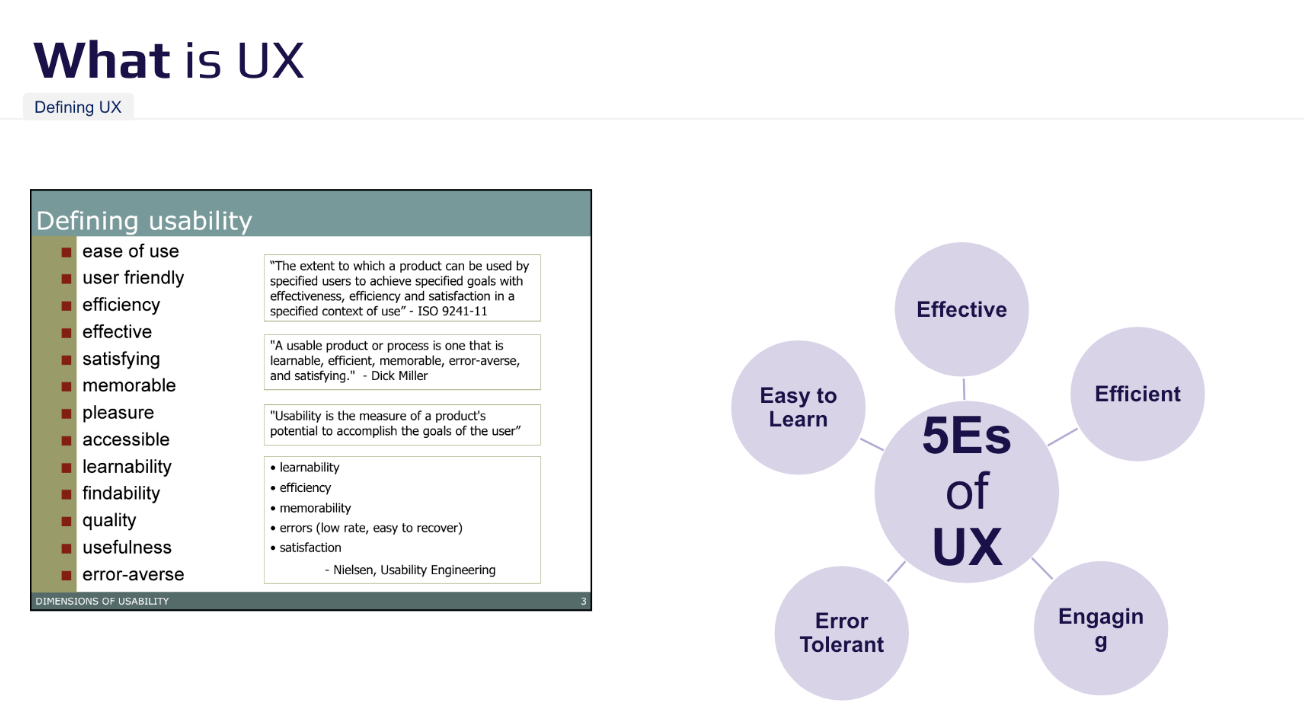
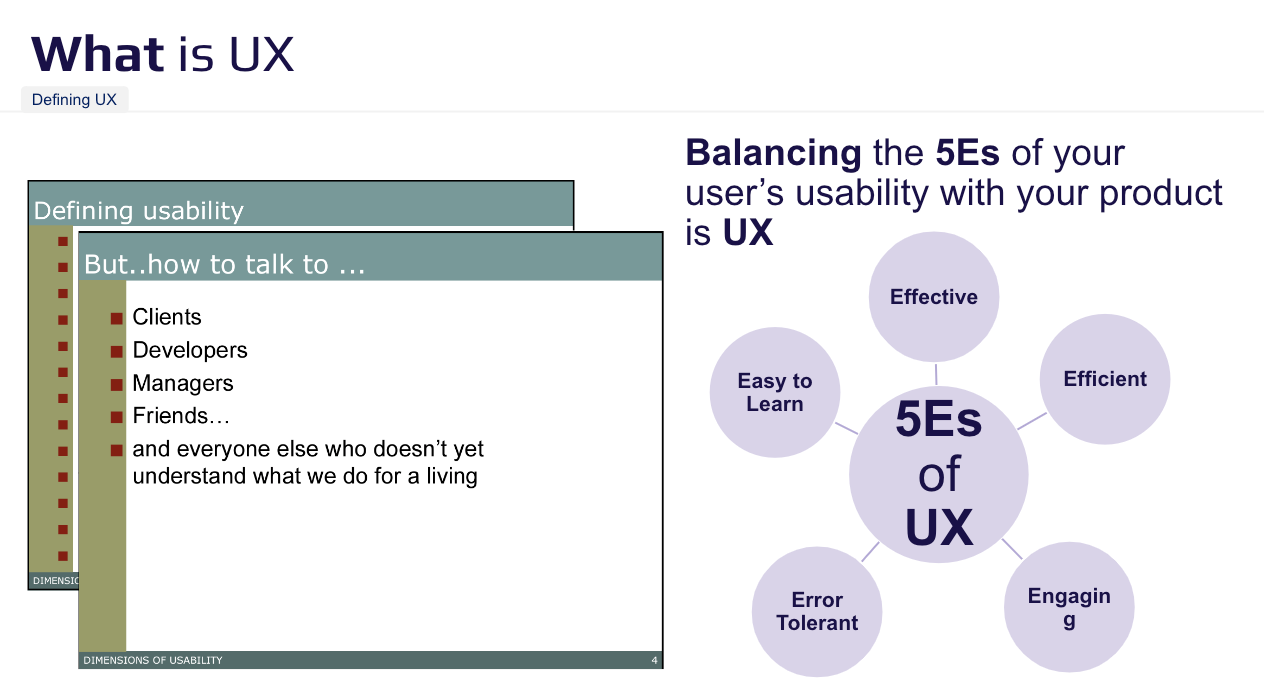
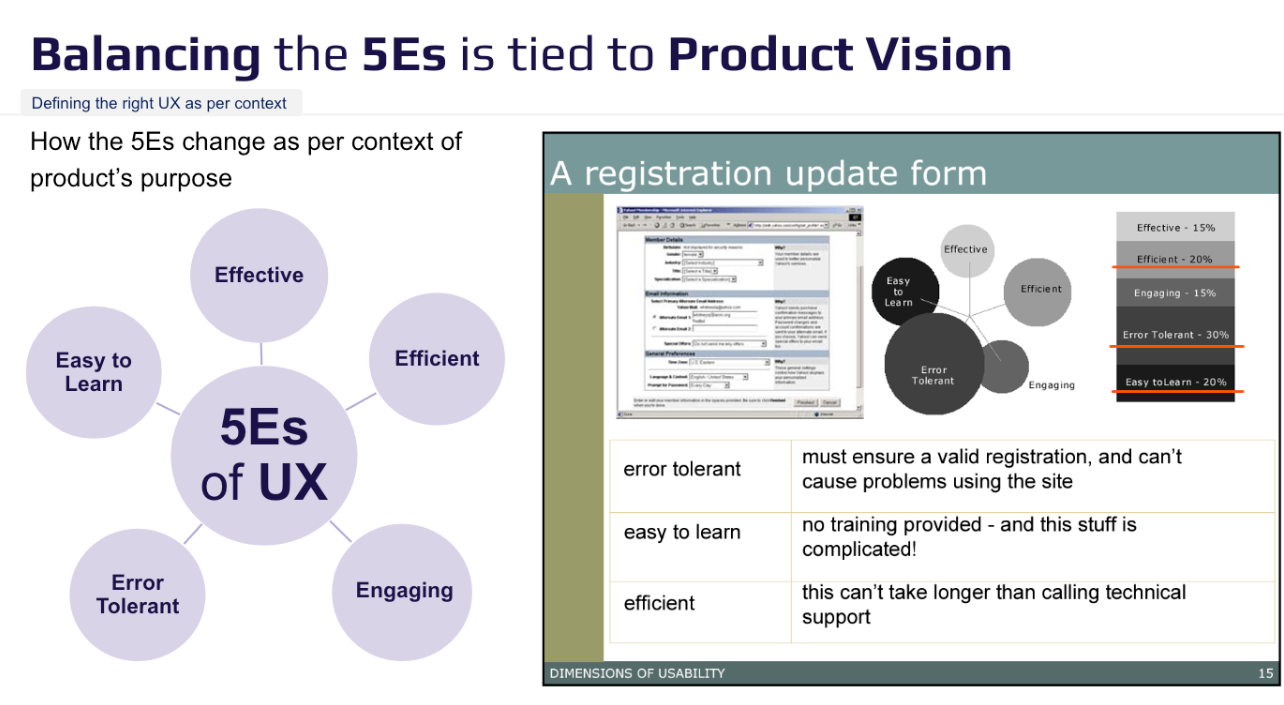
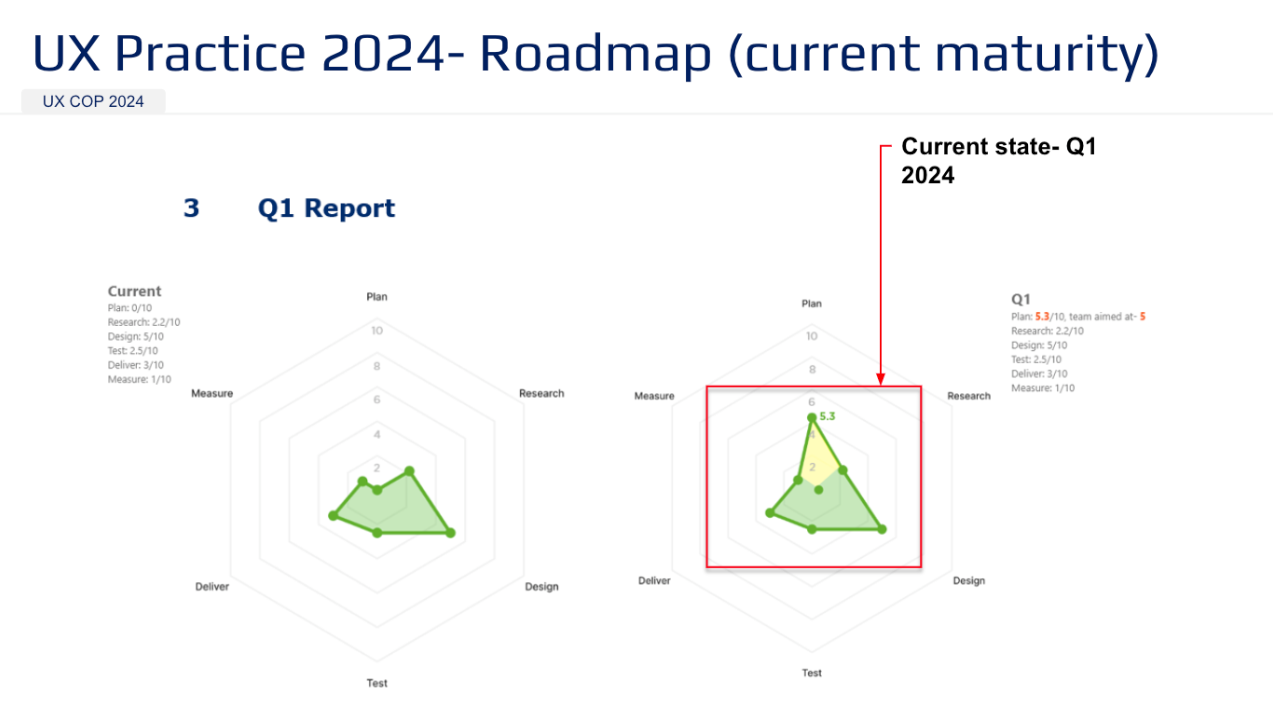
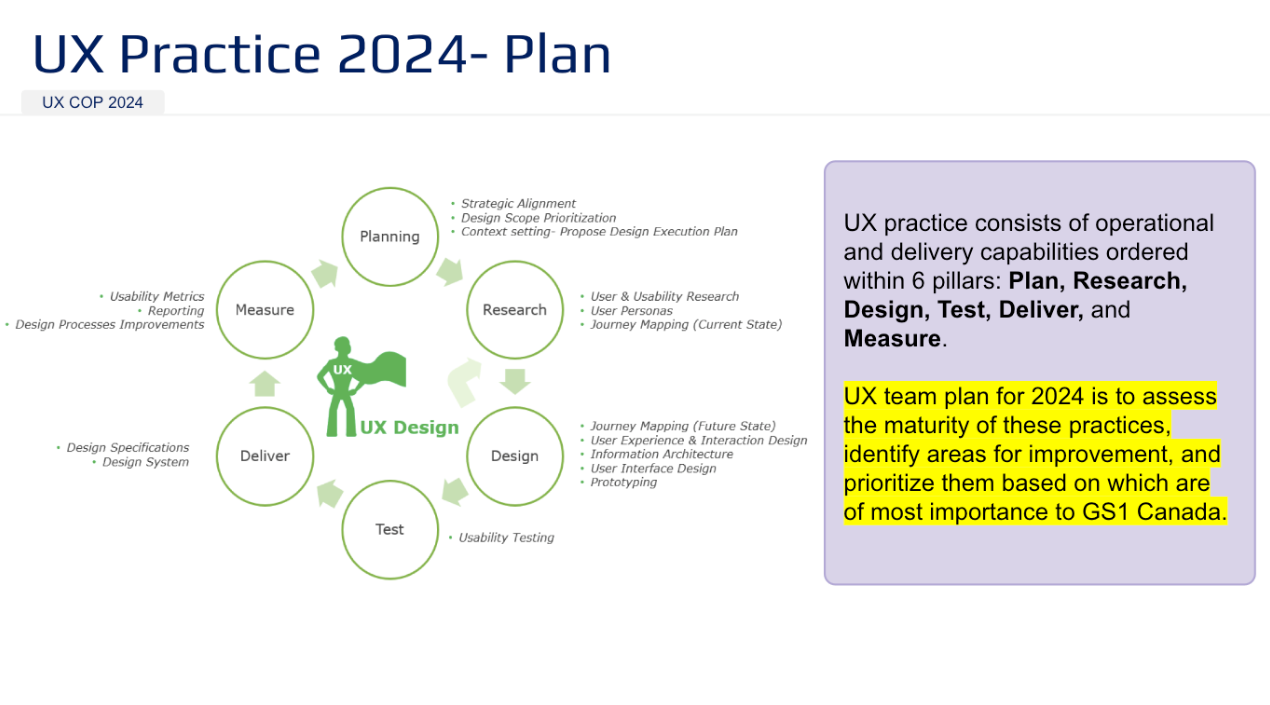
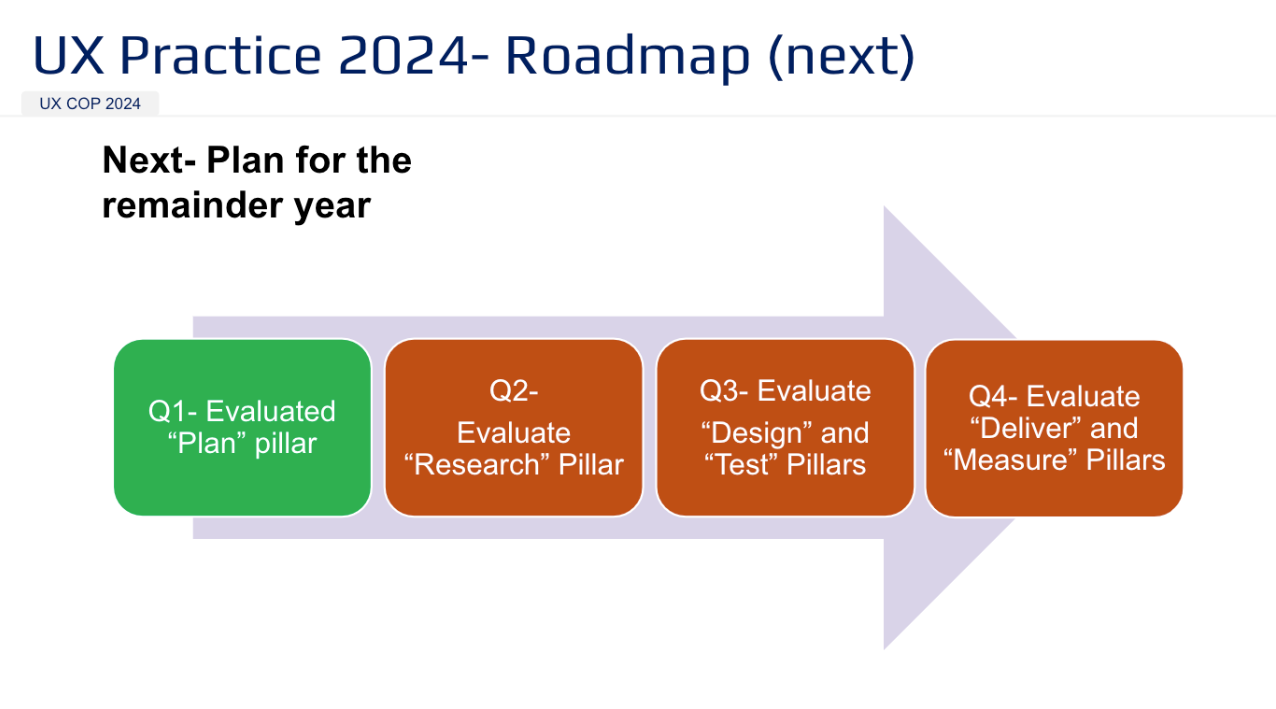
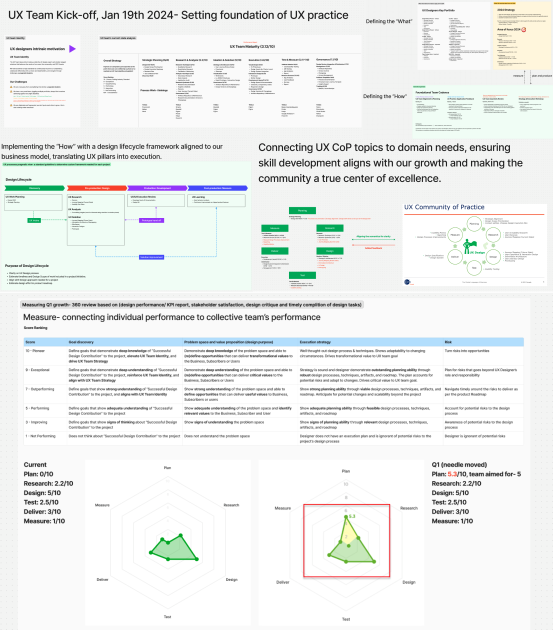
This workshop is an example of how we defined UX pillars and maturity, which informed the UX Playbook’s guidance on team growth. I connected intrinsic motivation to team identity and organizational goals, enabling the team to align around a shared purpose.
Rather than driving my own ideas, I acted as an enabler helping the team define purpose and giving leadership clear visibility into how UX supports their goals.
DesignOps includes the engineering of what is being communicated in the UX Playbook. Here are 3 areas of how I managed DesignOps at GS1 Canada
DesignOps 01: Enabling UX & Product Leads in User Research
Operationalize user research repository, persona bank and template
Established a User Persona Bank as a centralized resource for UX and Product teams.
Embedded a Habit of User Engagement by integrating user conversations, business logs, and customer call analysis into workflows.
Strengthened Storytelling Skills through persona-driven templates like user journeys, empathy maps, and stakeholder maps.
Integrated User Insights into Decision-Making by storing insights in the persona bank, ensuring UX and PM teams internalize the customer voice and become user advocates.
Developed Qualitative & Quantitative Research Skills to foster empathy, reduce subjective decision-making, and enhance data-driven insights.
User research operational model and content diagram overview
Persona utilization for backlog grooming
Developed persona-driven operation design using Smaply, SharePoint, and Azure DevOps to align user stories with actual user needs.
I developed an SOP to flag Epics where Features or User Stories lacked a defined persona, signaling the need for grooming or reprioritization.
This process fostered collaboration between BAs, UX, and PMs/POs, ensuring the backlog remained strategically aligned with user value and the product roadmap. I also began automating this SOP to streamline backlog health assessment.
User Personas example that lived in the repository.
Outcome
When I joined GS1 Canada in 2020, user personas were decorative assets in business decks rather than functional tools in product development. They weren’t used to inform prioritization, usability, or technical decisions. To be effective, personas and user journeys needed to be embedded in the SDLC, shaping strategy and execution.
To prevent subjective interpretation and misuse of user research, I launched the first DesignOps initiative in 2022 as UX Practice Lead. This program enabled UX designers and Product Managers to be user advocates, fostering direct engagement and refining user interviewing skills. It instilled a habit of continuous user research, ensuring real user needs shaped decisions rather than assumptions. Program management made this shift sustainable and actionable.
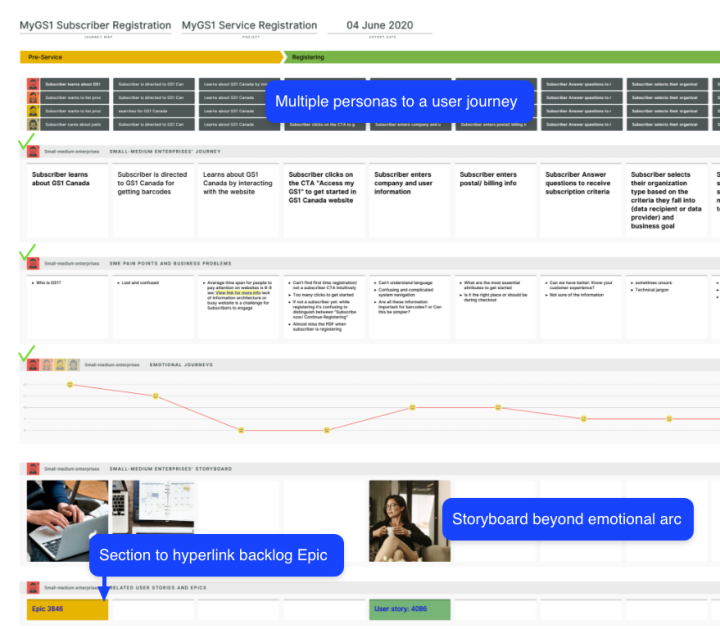
User Journey linked to product backlog and set user stories for acceptance criteria
DesignOps 02: Design System Operations
GS1 Canada had a fragmented user experience, which caused inconsistencies and inefficiencies. As the Principal UX Designer for platform design and later UX Practice Lead, I was accountable to narrow this gap, which led to introduce a Design System to standardize experiences and improve processes.
This case study shows how I made UX a key part of our strategy and eliminated product teams to build new features from scratch which added more to design inconsitency.
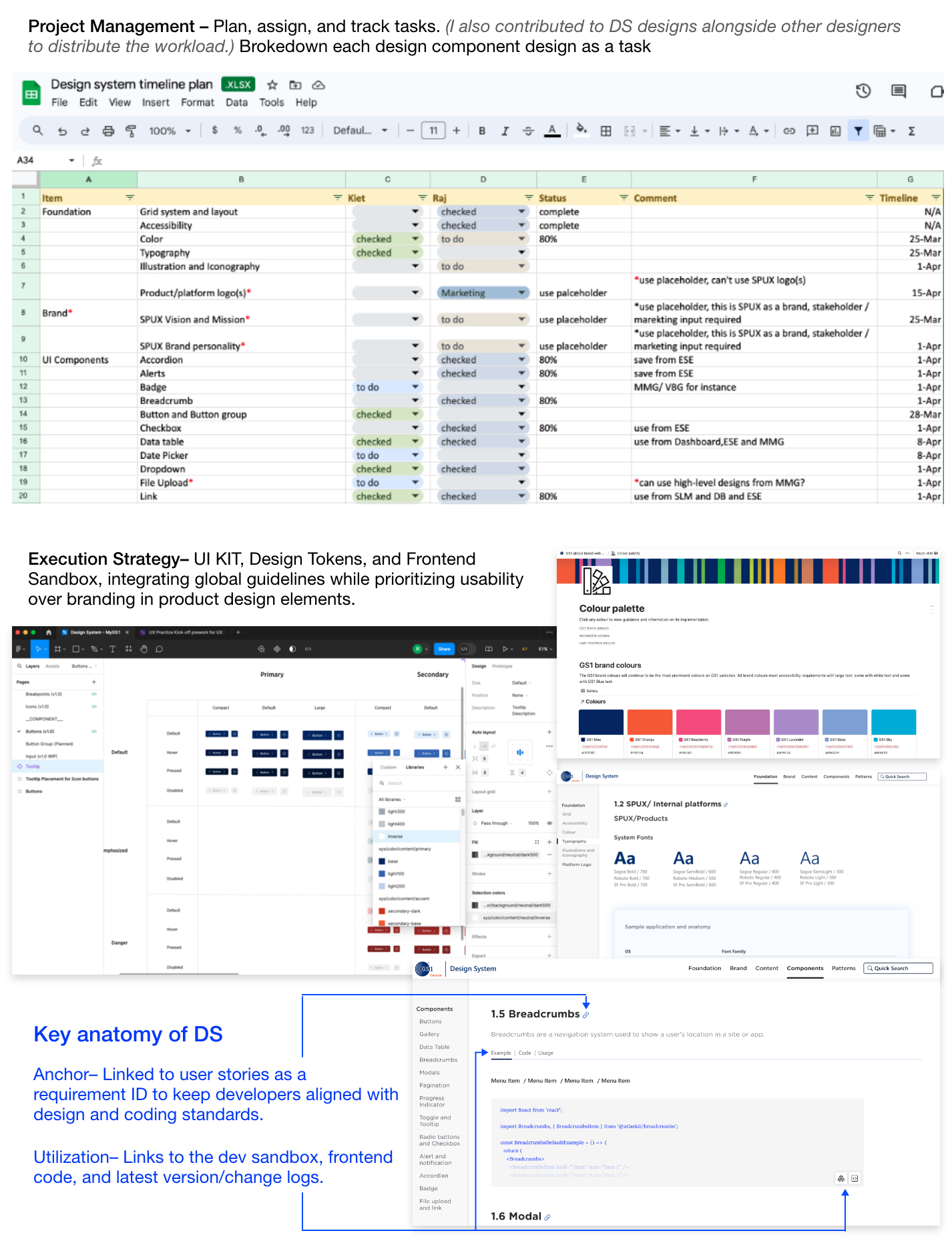
Operation Processes and Design Tokens
Enabled UX and frontend collaboration through UI KIT, design tokens, front-end sandbox, change logs, and acceptance criteria.
Strategic Planning and Project Committee
I treated the Design System like a product, serving as its Product Manager and focusing on business design and partnerships. The first step was to bring together the right team to co-create the vision and encourage early adoption:
Technology Leadership (2) – Senior Director & Backend Manager driving backend scalability.
Director of Project Management (1) – Acted as Scrum Master, aligned with PMO, managed third-party design budgets.
Frontend Developers (3) – Ensured frontend consistency and resolved framework issues.
Marketing (4) – 2 Managers & 2 Designers providing branding guidance.
UX Leads (2) – Owned the Design System and translated business needs into scalable solutions.
VP, IMS/Product/UX (1) – Executive sponsor defining business priorities and securing support.
I focused on securing early advocates and disruptors for stakeholder buy-in, which led to executive sponsorship, allowing me to drive the Design System and business case.
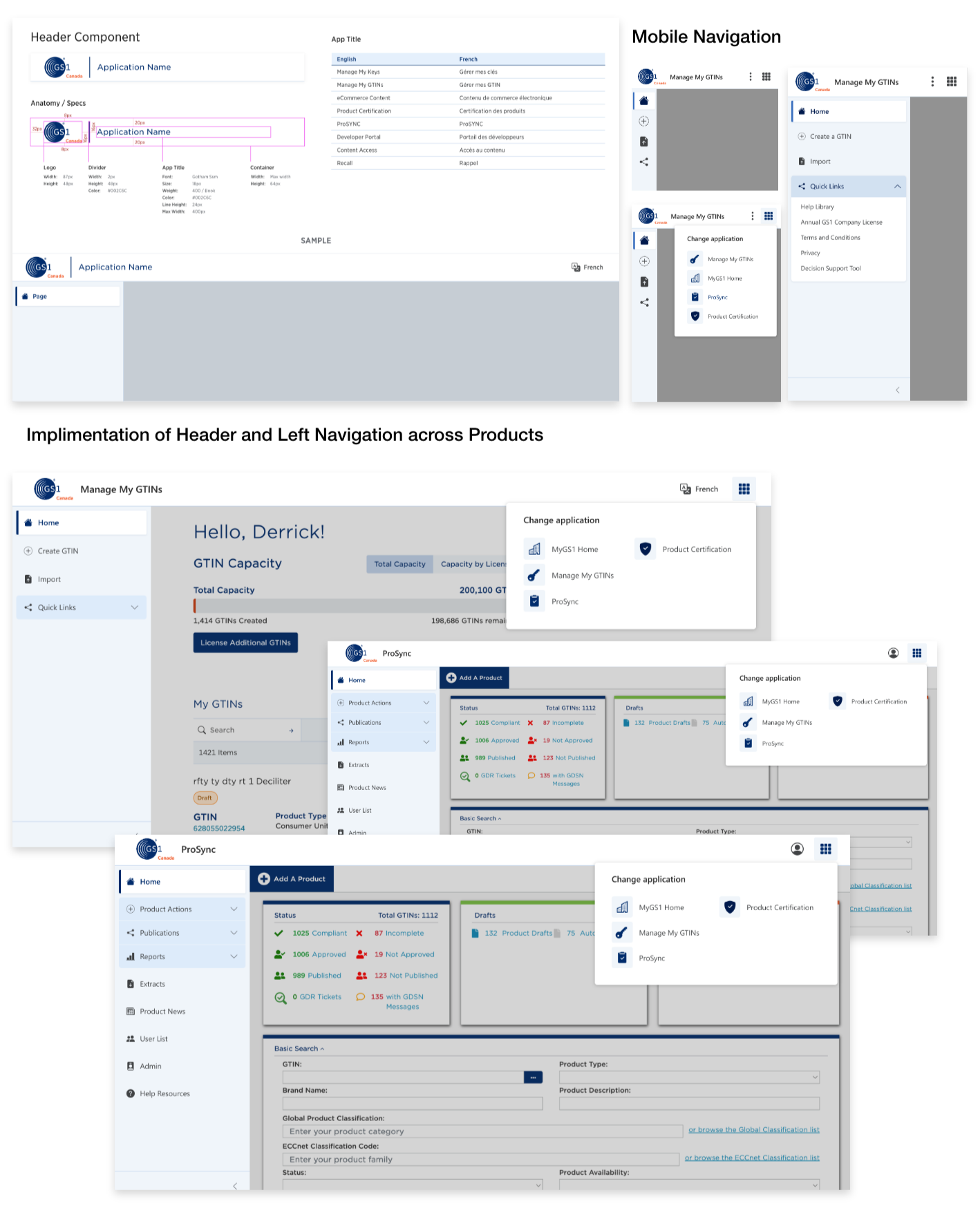
Outcome and adoption example
Promote design system adoption by applying it’s content in streamlining menu across all products. Demonstrate its impact even while still a work in progress.
DesignOps 03: Envision Single Platform
Problem: GS1 Canada lacked a Single Platform, resulting in fragmented experiences, data errors, and supply chain inefficiencies. “One platform” had been a vision since 2017 - my role was to turn it into a clear, actionable strategy.
Core Team: As UX Practice Lead & Principal UX Designer, I co-led the initiative with the Platform Manager, partnering with Product, Technology, Development, BAs, Frontend, Architecture, and PMs.
Approach: I led design thinking workshops to define the vision while Product prioritized industry needs - aligning product and design into a scalable, phased roadmap.
Key Features:
• Unified registration with seamless activation
• Single product view with centralized data
• Simplified product search and extraction
Outcome: This vision became the foundation of GS1 Canada’s digital transformation. Now in Phase 4, we equipped Product and UX Leads with clear capability SOWs, aligning teams to execute the Single Platform strategy end-to-end.
Design Workshops: Defining Milestone 0, Dependencies & Simplified Data Flow
I facilitated design workshops to identify Milestone 0, map dependencies, and streamline data flow with minimal steps. The goal was to help the core platform team zoom out and focus on the simplest, most efficient approach, rather than being constrained by existing technological complexities.
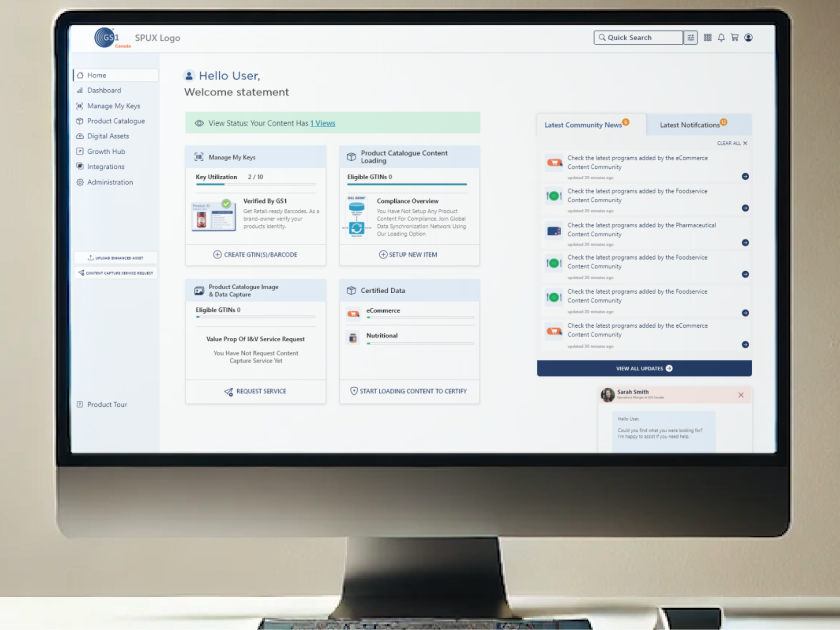
Onboarding: Help users get started quickly after purchasing their barcode to onboard with GS1 Canada. They’ll need GS1 Canada’s services to populate product data and conduct business in the supply chain industry.
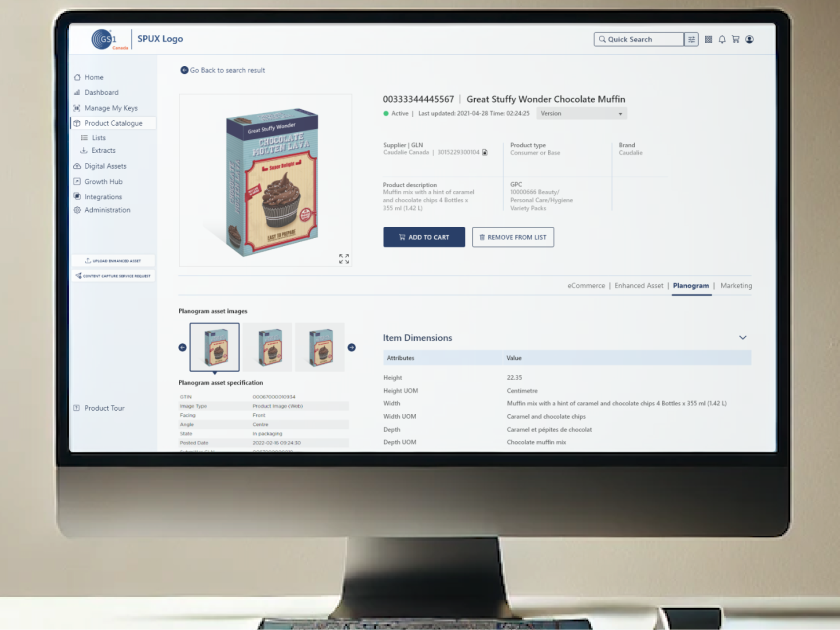
Single view of product: After obtaining a product barcode and preparing it for market, users must input standardized product information, including contents, nutritional facts, allergens, and certifications. The Single View of Product provides sellers with a comprehensive assessment of their product’s data excellence, ensuring it meets industry standards and is ready for business with trading partners and retailers.
Search and extract product data: A key feature for retailers to extract product information, supporting logistics, planograms, seasonal product identification, marketing campaigns, daily shopping flyers, and overall customer engagement and safety through accurate product data.